Alex Galuzin.com
Documentary Style Photographer Documenting Fighters, Warriors, Rebels, Artists
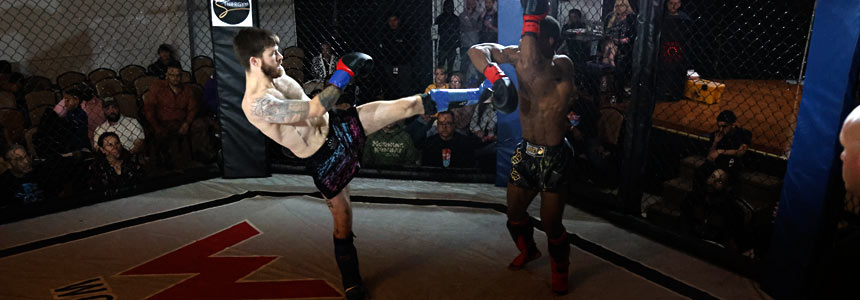
How to Fix Dark Shadowing Banding Strip Effect in Your Camera Photos Caused by LED Lights (Rolling Shutter) on Canon R6 Mark II
Canon R6 Mark II
January 24, 2026
I documented a fight event and during the shoot I discovered a huge issue that made me lose half of my photos.
I was experiencing a discoloration, a banding shadowing effect across many of my images. Sometimes this banding strip effect would appear at the top, sometimes in the middle, sometimes at the bottom of the images.

It would be in a random position every time. Sometimes it would be more pronounced, heavier banding and shadowing effect. Other times it would be more subtle. And other times it would be completely gone and everything would come out perfect.
In this post I'm going to break down what it is, why you are experiencing this and how to fix it.
Video Tutorial
The Event and When the Problem Started
Up to this point I had shot 3 fight events, all indoors with various lighting and I did not experience any issues.
Until this fight event.
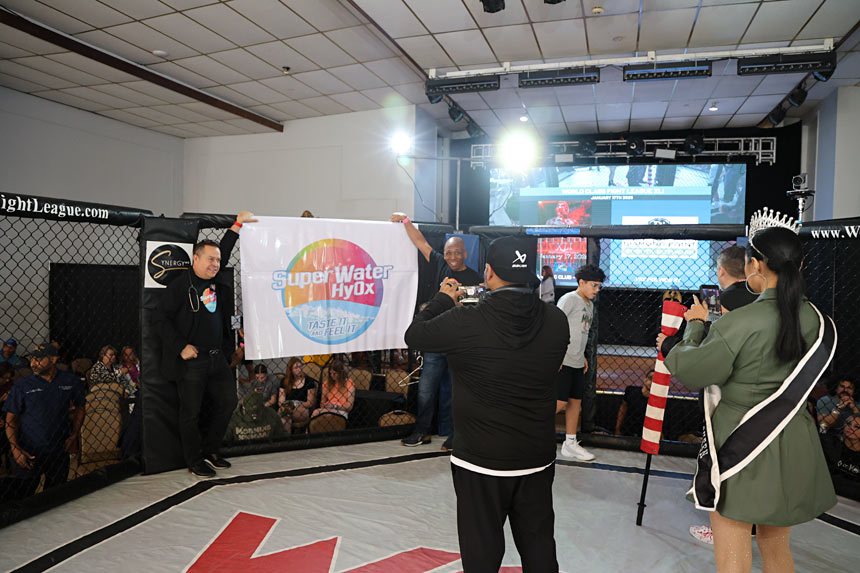
During the first part of the event, prior to the fights, I was walking around taking many behind the scenes shots, some group shots in the cage and all of my images came out perfect. No discoloration, no banding effect, no shadow strip across any of the images.
Then once the fights began, I naturally increased my shutter speed to capture all the action and freeze the motion. I then began to see the discoloration, shadowing strip across many of my images.
My Initial Troubleshooting
When I began to notice it, many things went through my mind:
- First I thought there was something wrong with my camera, but then I quickly realized it was very sporadic. Some shots came out exactly how I would expect them to, in sharp focus with no problem. So camera was fine.
- Then I thought maybe it's White Balance. There were 3 different light sources at the event competing against each other: chandelier, cage lights and outside natural light. I quickly tested by setting manual White Balance as I was shooting the event and that didn't help either.
- Then I thought maybe it's my settings. I switched from shutter priority to full manual and controlled every single setting. Still, the same problem persisted.
The issue was very random.
Some images would go to waste with the shadow and banding effect across them and other times the pictures would come out perfectly fine.
I had no time to Google search and figure this out during the event because fight event s are extremely high pace, very chaotic and there is zero downtime. I just had to shoot the event the best I could and accept that I was going to lose a lot of my images.
After the Event
I ended up losing a lot of great shots. There was nothing I could do to fix it in post because the banding shadow strip effect was too dark. It appeared randomly in various parts of the image going across horizontally.
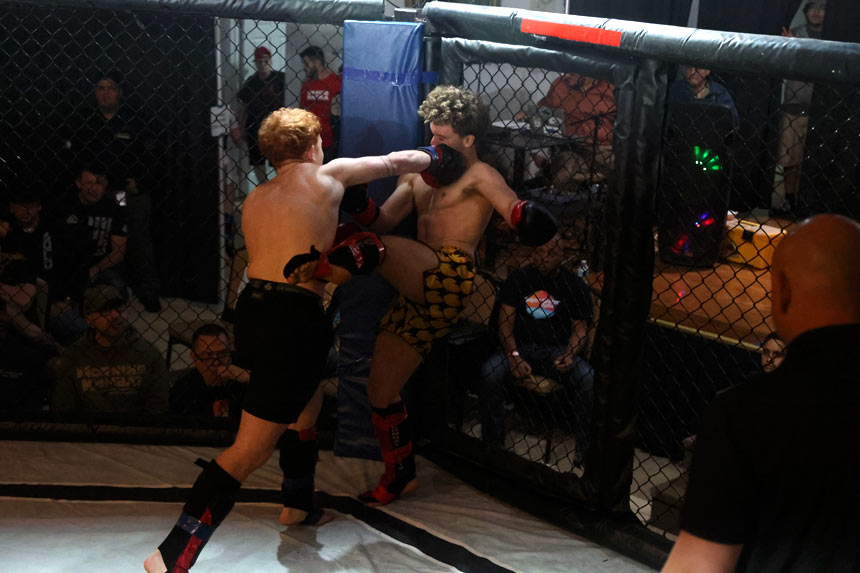
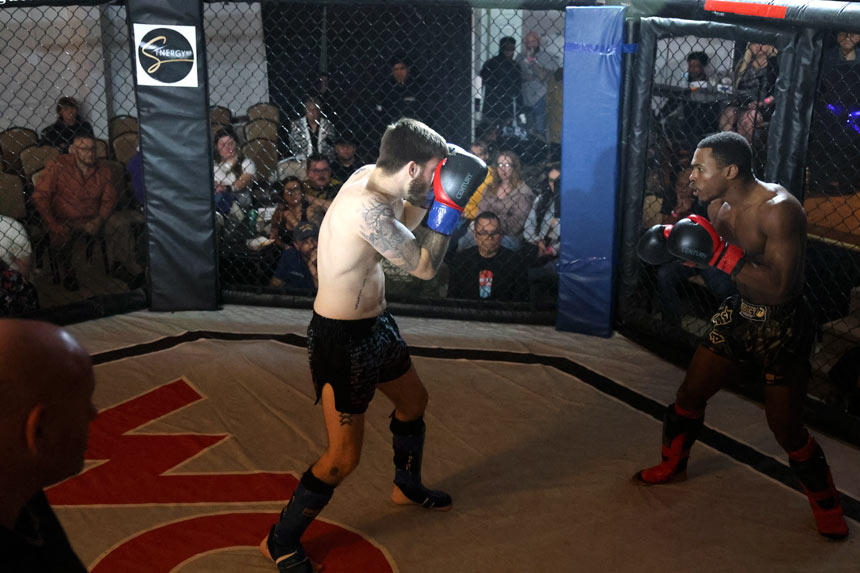
But I did capture some great shots when the problem wasn't present or it was at the very top or very bottom of the image so I could crop it out.

The Real Cause: Flickering LED Lights
After diving deeper, I finally found what was causing this shadowing banding effect across many of my images. It's often known by the term rolling shutter.
The reason is due to LED lights present at the event.
Most modern LED lights flicker on and off. They flicker so fast that you cannot see it with your naked eyes but they constantly turn on and off due to the power frequency.
But if the shutter is open for a short time that it often can hit the “off” or dim phase of the flicker cycle.
Sometimes it catches the light fully on, giving a perfect exposure or other times it catches the in-between state or off state which creates the narrowing, shadowing, banding effect.
And this will usually happen when you are using a very high shutter speed.
For fight events I have to shoot close to 1/1000 of a second to freeze the motion. At those speeds the camera catches the various states of the LED flicker cycle.
At the beginning of the event, when I was doing behind-the-scenes group shots, I was shooting at 1/250 of a second but when I increased the shutter speed that's when the problem revealed itself.
Solutions
1. Get Rid of the LED Lights
Obviously that wasn't going to happen in my situation.
2. Lower Your Shutter Speed
Lowering the shutter speed to around 1/100, 1/60 or lower makes the shutter stay open long enough to avoid catching the on/off states. This removes most of the shadow and banding effect.
However, lowering the shutter speed was not an option for me because I need high shutter speeds to freeze fast fight action.
3. Enable Anti-Flicker Shoot (Fix That Worked)
For the next fight event with the same promoter, same cage, same LED lights and similar lighting conditions, I fixed it completely.
Make sure you are in Shutter Priority Mode or Manual Mode.
Go the Settings and to the Camera Menu (first red icon) and choose option number 3:
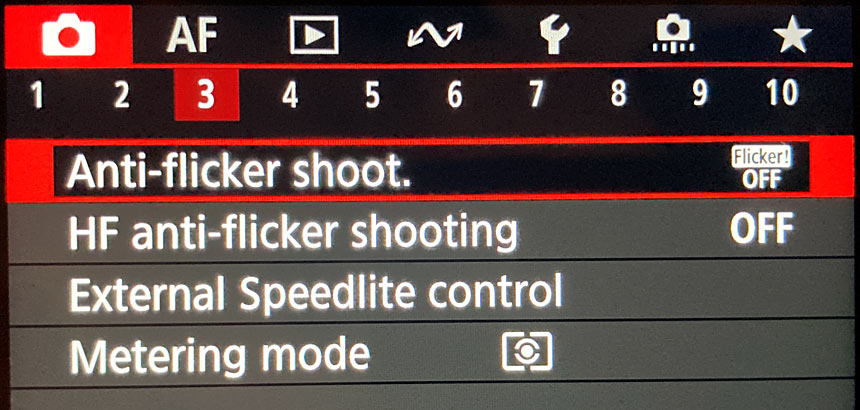
Enable Anti-Flicker Shoot:
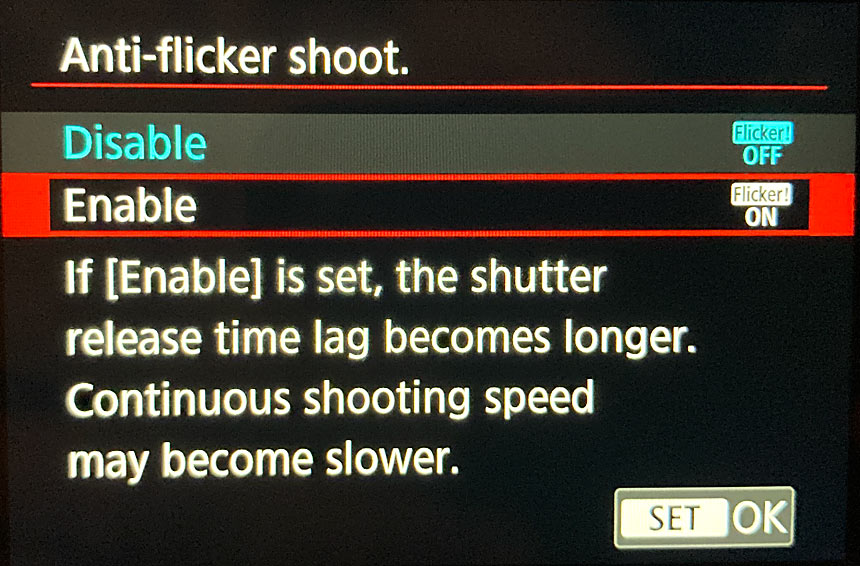
After setting this to on, the issue was completely gone.
I was able to document the entire event without any shadowing or banding effect across any of my images.
Wish I knew this during the previous fight event.
Note about this setting:
When enabled, the shutter release time lag becomes longer and continuous shooting speed may become slower. The camera compensates to time the shutter release with the LED flicker. I did not notice any significant lag. If it was there, it was a small price to pay for getting all clean shots.
High-Frequency Anti-Flicker Shooting (Optional Setting)
There is another setting right below Anti-Flicker Shoot called High-Frequency Anti-Flicker Shooting.
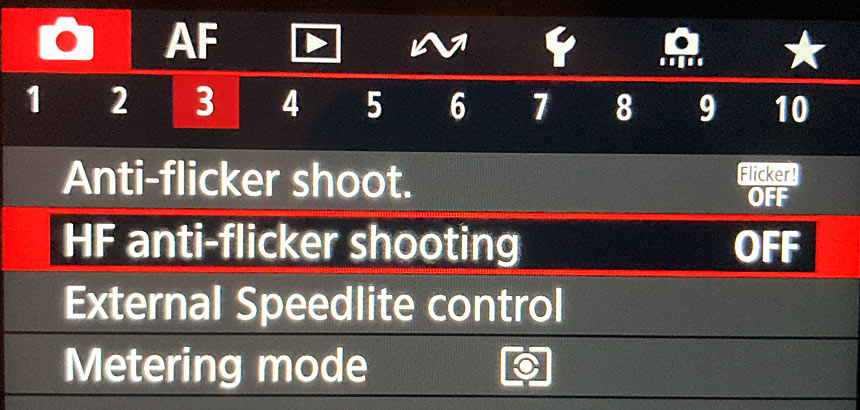
I did not test it but it monitors and detects the lighting in the scene. You will have to point the camera at the lights, let it auto detect and it sets a specific shutter speed to avoid flickering.
It usually sets a lower shutter speed, which works well if you don't need high shutter speeds.
For fights where you need 1/1000 or faster, this option probably won't help because the suggested speed would be too slow.
Final Thoughts
For my situation, simply enabling Anti-Flicker Shoot fixed everything.
I was extremely happy with how the follow up event turned out and I did not lose any shots to the banding, rolling shutter issue.
If you're shooting events with modern LED lights and running into random horizontal shadow or banding strips, especially at high shutter speeds, try enabling Anti-Flicker Shoot in your camera menu first.
It just might save you from losing your images.
Portfolio Gallery
My name is Alex. Former fighter, now photographer. I'm documentary style photographer specializing in documenting fighters, warriors, rebels, artists, creators, business owners in their natural environments.
Subscribe: AlexG Photo Email Updates
Follow AlexG


Photography Portfolio


Recommended Posts

Blog Categories

About AlexG Photography
Quick Disclaimer on Blog Posts
I share my photography and creative workflow process through many of the blog posts. Some of these posts may include Amazon